Free Government Tablet in Georgia: 2026 Safe Options
Georgia does not have a verified statewide program that hands every eligible resident a free tablet. The real path takes a bit more care: check Lifeline-related provider offers, use SNAP/EBT or Medicaid only as eligibility proof, confirm availability by ZIP code, and look at Georgia libraries and digital access programs if no tablet offer turns up.
Quick answer: A Georgia SNAP, EBT, Medicaid, SSI, housing assistance, Veterans Pension, Survivors Benefit, or qualifying income record may help you qualify for Lifeline. Lifeline mainly lowers phone or internet service costs. A tablet is not guaranteed and depends on provider offers, Georgia ZIP code coverage, stock, copay, activation, shipping, and verification.
Free Tablet Apply is independent and informational only. It is not a government agency and does not approve, ship, or guarantee tablets.
Quick Answer for Georgia Residents
If you live in Georgia and you've been searching for a free government tablet, here's the honest answer: check whether you qualify for Lifeline first, then see whether any provider serving your ZIP code is actually offering a discounted or no-cost tablet when you apply.
SNAP, EBT, Medicaid, SSI, Section 8, Veterans Pension, Survivors Benefit, or income-based eligibility can get you through the eligibility part. None of those things force a provider to hand over a tablet. That part depends entirely on what the provider is currently offering.
Georgia residents may qualify through SNAP, Medicaid, SSI, FPHA, Veterans Pension, Survivors Benefit, or income at or below the Lifeline limit.
Tablet offers depend on your Georgia ZIP code, provider participation, device stock, service plan rules, shipping, and possible copay.
Do not share your EBT PIN, bank login, full SSN, or payment details with random pages promising instant approval.
What "Free Government Tablet" Means in 2026
The phrase "free government tablet" gets thrown around a lot online, but it can seriously mislead people. In 2026, there is no active federal program that simply mails a free tablet to every eligible Georgia household.
The Affordable Connectivity Program, also called ACP, ended because Congress did not provide more funding. Households stopped receiving ACP discounts after June 1, 2024. ACP previously helped some households with internet discounts and, in some cases, connected-device discounts. That program is not the same as Lifeline.
Lifeline is still active. It mainly lowers the monthly cost of phone, internet, or bundled service for eligible low-income households. Some wireless providers may attach a tablet offer to a service plan or promotional program, but the tablet is a provider offer, not a guaranteed Georgia government benefit.
The safer way to read tablet offers
If a Georgia provider says it has a tablet option, check four things before applying: whether the provider serves your ZIP code, whether the tablet is free or discounted, whether a copay or activation fee applies, and whether the device may be refurbished or a basic Android model.
Georgia residents should also keep in mind that one Lifeline benefit is allowed per household. If someone at the same address already uses Lifeline and you share income and expenses with that person, you may not be able to claim a second Lifeline benefit.
Does Georgia Have a Free Tablet Program?
No verified official statewide Georgia program is known to give every eligible resident a free tablet. Georgia does have public benefit systems, broadband planning resources, public libraries, and local support agencies that can help residents get online or prove eligibility for service discounts.
The most useful Georgia-specific starting points are Georgia Gateway, Georgia DFCS for SNAP, Georgia Medicaid through the Department of Community Health, the Georgia Broadband Program, Georgia Public Library Service, Tools for Life, and local Community Action Agencies.
| Georgia resource | Why it matters for tablet seekers | What it does not mean |
|---|---|---|
| Georgia Gateway | Used to apply for, renew, upload documents, and view benefits such as SNAP, Medicaid, PeachCare for Kids, TANF, CAPS, WIC, and Refugee Cash Assistance. | A Georgia Gateway account does not automatically approve a tablet. |
| Georgia SNAP through DFCS | SNAP participation can help prove Lifeline eligibility. | An EBT card is not a tablet voucher. |
| Georgia Medicaid | Medicaid participation can help prove Lifeline eligibility. | A Medicaid card does not guarantee a device. |
| Georgia Public Library Service | Public libraries across Georgia provide computers, Wi-Fi, and in many locations, Chromebook or hotspot lending. | Library lending is not the same as owning a tablet. |
Main Ways Georgia Residents May Qualify
Most Georgia residents who look into tablet-related offers will first go through a Lifeline eligibility check. You may qualify through a benefit program, through household income, or through another approved Lifeline route.
Program-based eligibility
- Georgia SNAP, also called food stamps
- Georgia Medicaid or PeachCare for Kids
- Supplemental Security Income, or SSI
- Federal Public Housing Assistance, including certain Section 8 housing help
- Veterans Pension or Survivors Benefit
- Qualifying Tribal assistance, only if your address is on qualifying Tribal lands
Income-based eligibility
You may qualify for Lifeline if your gross household income is at or below 135% of the Federal Poverty Guidelines. The guideline depends on household size. For Georgia, use the 48 contiguous states guideline, not Alaska or Hawaii.
Income applicants are usually asked for proof such as pay stubs, a tax return, unemployment documentation, Social Security benefits statements, or another official income record.
Georgia residents who use Georgia Gateway should keep their name, date of birth, home address, mailing address, and benefit documents consistent. A mismatch between a provider application, National Verifier application, and Georgia Gateway records can slow everything down during manual review.
EBT and SNAP Free Tablet Options in Georgia
Georgia SNAP can help with eligibility because SNAP is a Lifeline-qualifying program. If you receive SNAP through Georgia DFCS and use an EBT card, you may be able to use a current SNAP approval letter, benefit notice, or Georgia Gateway record as proof when a provider or the National Verifier asks for documents.
That does not mean your EBT card itself gets you a free tablet. It means SNAP can help prove that your household meets one recognized eligibility route. Those are two very different things.
Georgia SNAP application note
Georgia SNAP applicants may need to complete a DFCS phone interview. The person interviewed should be ready to answer questions about household income, expenses, and household members. Keep this in mind if you are also preparing Lifeline or provider documents.
If your main proof is EBT/SNAP, read our plain-English explainer on tablet options with EBT. It explains how SNAP helps with eligibility without promising that every EBT household receives a device.
Medicaid Free Tablet Options in Georgia
Georgia Medicaid can also help prove Lifeline eligibility. The Georgia Department of Community Health oversees Georgia Medicaid and PeachCare for Kids. Some enrollees receive services through Georgia Families or Georgia Families 360º, while others use fee-for-service arrangements.
For tablet-related applications, the key point is simple: Medicaid participation may help you pass the eligibility check. Whether a tablet is actually available still depends on the provider's current offer in your ZIP code.
Do not confuse Medicaid coverage with tablet approval
A Medicaid card, PeachCare for Kids record, or Georgia Gateway Medicaid notice can support eligibility. It does not prove that a specific provider has tablets in stock.
Georgia also has Georgia Pathways to Coverage for certain low-income adults who are not otherwise eligible for traditional Medicaid. Pathways has Georgia-specific rules, including qualifying activity requirements for many applicants. If your Medicaid eligibility comes through Pathways, make sure your documents are current and match the name and address you use on your provider application.
Lifeline Tablet and Phone Options in Georgia
Lifeline is the main federal communications benefit still active in 2026. It helps lower the monthly cost of eligible phone, internet, or bundled service. In Georgia, as in most states, providers use the National Verifier to confirm eligibility.
The service discount and the device offer are separate things. A Lifeline approval may help you access low-cost service. Whether a tablet comes with it depends on the provider's current rules, the ZIP code you enter, available stock, and whether the provider is running a tablet offer at that time.
| Lifeline item | What Georgia residents should know |
|---|---|
| National Verifier | Checks whether you qualify for Lifeline. If automatic checks fail, you may need to upload documents. |
| One-per-household rule | Only one Lifeline benefit is allowed per household if people at the same address share income and expenses. |
| Provider offer | The provider decides whether a tablet is available, whether it is free or discounted, and whether fees apply. |
| Device condition | Some tablets may be refurbished, limited-stock, basic Android devices, or tied to service activation. |
For more detail, see our explainer on Lifeline phone and tablet options.
Documents You May Need
Georgia residents should gather documents before starting a provider application. If the National Verifier cannot confirm your eligibility automatically, having a clear document ready can prevent weeks of delays.
| Situation | Useful document | Georgia-specific note |
|---|---|---|
| You receive SNAP | SNAP approval letter, benefit notice, or Georgia Gateway benefit record | Make sure the name and address match the provider application. |
| You receive Medicaid | Georgia Medicaid notice, PeachCare for Kids notice, Medicaid card, or Georgia Gateway record | Use a current record if your coverage recently changed or renewed. |
| You qualify by income | Tax return, recent pay stubs, unemployment benefit letter, Social Security benefit statement | Upload the full page, not a cropped screenshot. |
| You live in shared housing | Household worksheet, lease, utility bill, or separate household explanation | Atlanta metro apartments and shared addresses can trigger household-rule questions. |
| Your rural address is hard to verify | Utility bill, lease, official mail, 911 address document, or map-supported address proof | Rural route or county-road addresses in South Georgia and mountain areas may need extra proof. |
| You are a veteran or survivor | Veterans Pension or Survivors Benefit award letter | Use the official benefit name shown on your award letter. |
For a deeper document list, use our government tablet documents checklist.
Step-by-Step Application Path
Use this path if you are in Georgia and want to look into tablet-related options without falling into fake approval traps.
- Confirm your eligibility route. Decide whether you will use SNAP, Medicaid, SSI, FPHA, Veterans Pension, Survivors Benefit, or income.
- Collect current documents. Use Georgia Gateway notices, Medicaid records, income proof, or official benefit letters where relevant.
- Check Lifeline eligibility. Use official Lifeline resources or a legitimate provider that checks eligibility through the National Verifier.
- Search by your Georgia ZIP code. Provider availability can change between Atlanta, Augusta, Columbus, Macon, Savannah, rural South Georgia, North Georgia, and coastal communities.
- Read the tablet terms. Look for copay, activation fee, shipping cost, device condition, data plan limits, and return rules.
- Do not submit sensitive data to random pages. A real provider should not need your EBT PIN, bank login, or full online benefits password.
- Save your confirmation. Keep screenshots or email confirmations from official provider and verification pages.
For a cleaner walkthrough, visit how to apply for a government tablet option.
Provider Availability and ZIP Code Checks in Georgia
Georgia is not one coverage market. A provider that shows up in Atlanta may not carry the same offer in rural South Georgia. A ZIP code near Savannah or Brunswick may show completely different options than a ZIP code in the North Georgia mountains. Even within metro Atlanta, apartment addresses and shared households can create extra household-rule questions.
That is exactly why ZIP-code checking matters. Lifeline companies, wireless coverage, tablet stock, shipping rules, and service plans can all change depending on where you live.
Atlanta metro
Shared housing, apartment units, and existing Lifeline benefits at the same address can trigger household worksheet questions.
Rural South Georgia
Rural addresses, limited carrier coverage, and distance from local offices may make document accuracy and shipping details more important.
North Georgia and coastal areas
Mountain communities and coastal counties may see different mobile coverage and provider availability, so check the exact ZIP code.
Use our government tablet near me resource to understand why location checks matter. You can also compare general provider information at main provider options.
What To Do If No Tablet Offer Is Available
If no Georgia provider shows a tablet offer for your ZIP code, do not keep applying through random websites. That increases your scam risk and creates duplicate applications. Try safer alternatives first.
Public library access
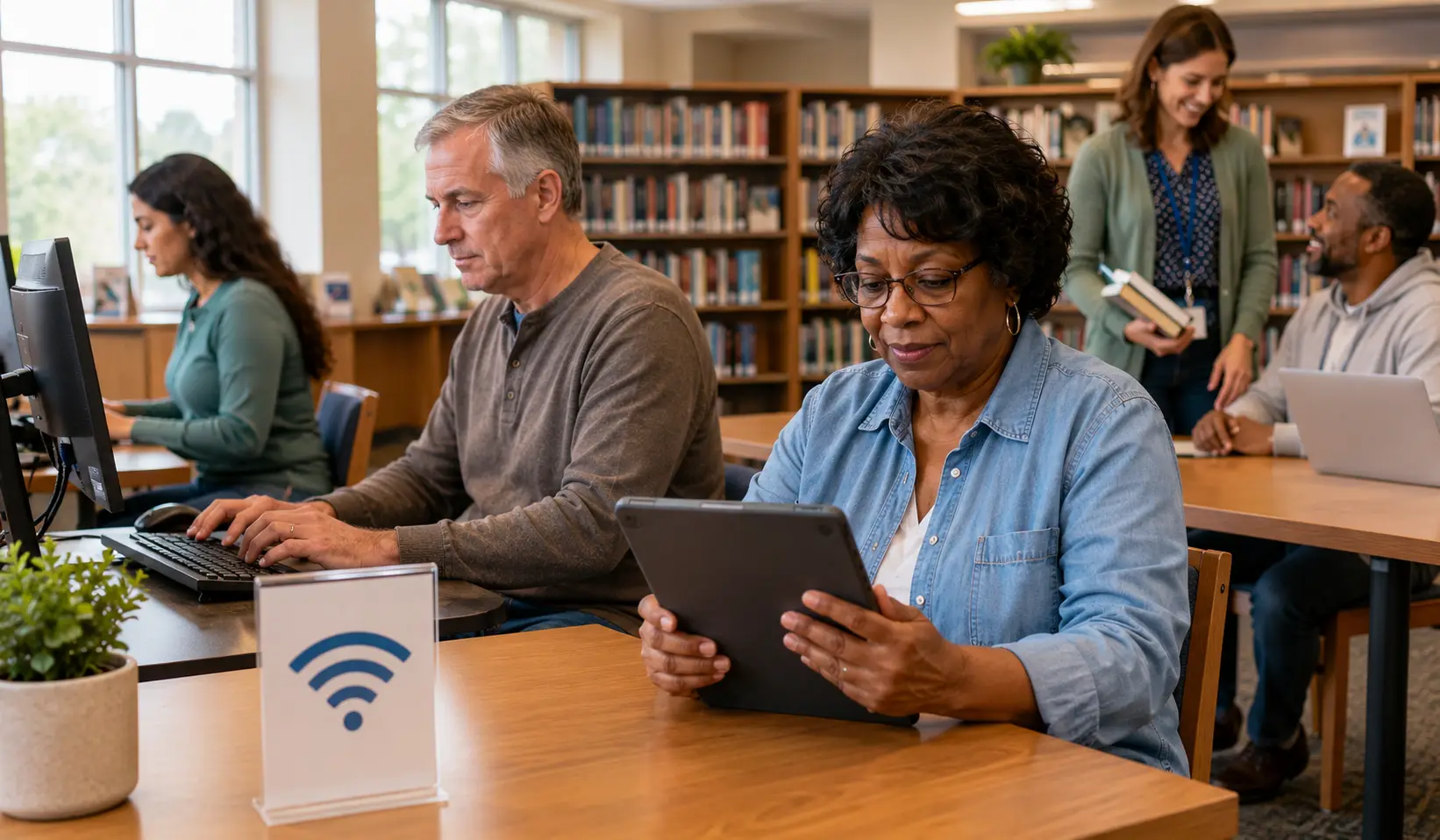
Georgia public libraries help bridge the technology gap. Many libraries offer public computers, Wi-Fi, and in some locations, Chromebooks, hotspots, or learning tablets. Availability varies by local library.
Assistive technology help
Tools for Life supports access to assistive technology for Georgians with disabilities. This is not the same as a free tablet program, but it may help residents who need technology for independence, learning, work, or communication.
Community Action Agencies
Georgia Community Action Association can help residents locate local agencies. These agencies may know about local support, utility help, benefit navigation, or digital inclusion resources.
Low-cost devices
If you cannot get a tablet through a provider, consider a low-cost Android tablet, refurbished tablet, library device lending, or nonprofit reuse program. Always confirm the device condition before paying anything.
Special Groups in Georgia
Seniors
Georgia seniors may qualify through SNAP, Medicaid, SSI, income, or another accepted Lifeline route. Seniors should use current benefit letters and avoid pages that ask for banking details before showing real provider terms. For more help, see tablet options for seniors.
Veterans and survivors
Veterans Pension and Survivors Benefit can qualify a household for Lifeline. The award letter should clearly show the benefit name, recipient name, and current status. Georgia veterans can also check local libraries and community agencies if no provider tablet offer turns up. Read more at government tablet options for veterans.
Families with SNAP or EBT
For Georgia families receiving SNAP, the strongest proof is usually a current approval letter or benefit notice, not a photo of the EBT card alone. Keep your Georgia Gateway information updated before applying through a provider.
Medicaid households
Georgia Medicaid, PeachCare for Kids, Georgia Families, and Georgia Pathways records may help prove eligibility. If your coverage or address recently changed, use the latest notice you have.
Rural residents
Residents in rural counties may face limited provider coverage, address-verification issues, or fewer shipping options. Use your official 911 address where possible and check service availability before assuming a tablet can actually be shipped to you.
Students and adult learners
Students and adult learners should not assume school enrollment alone qualifies them for a tablet. Start with household eligibility, Lifeline rules, library lending, workforce programs, and community resources.
Scam Warnings for Georgia Residents
Tablet scams often target people who receive public benefits. Georgia residents should be especially careful with pages that copy government language, show fake approval stamps, or ask for private benefit information too early in the process.
Warning signs
- The page says every Georgia EBT cardholder automatically gets a free tablet.
- The page asks for your EBT PIN, Georgia Gateway password, bank login, or full SSN.
- The offer promises same-day approval or same-day shipping.
- The site uses a fake government seal or says it is "official" without a .gov source.
- The provider will not show plan terms, fees, data limits, or device condition.
- The page asks you to pay through gift cards, money apps, or unusual payment methods.
Georgia Gateway users should also watch for SNAP and EBT scams. If you receive Georgia benefits, use official state resources and approved benefit tools. Never give your EBT PIN to a tablet website. Not once.
Helpful Checklist Before You Apply
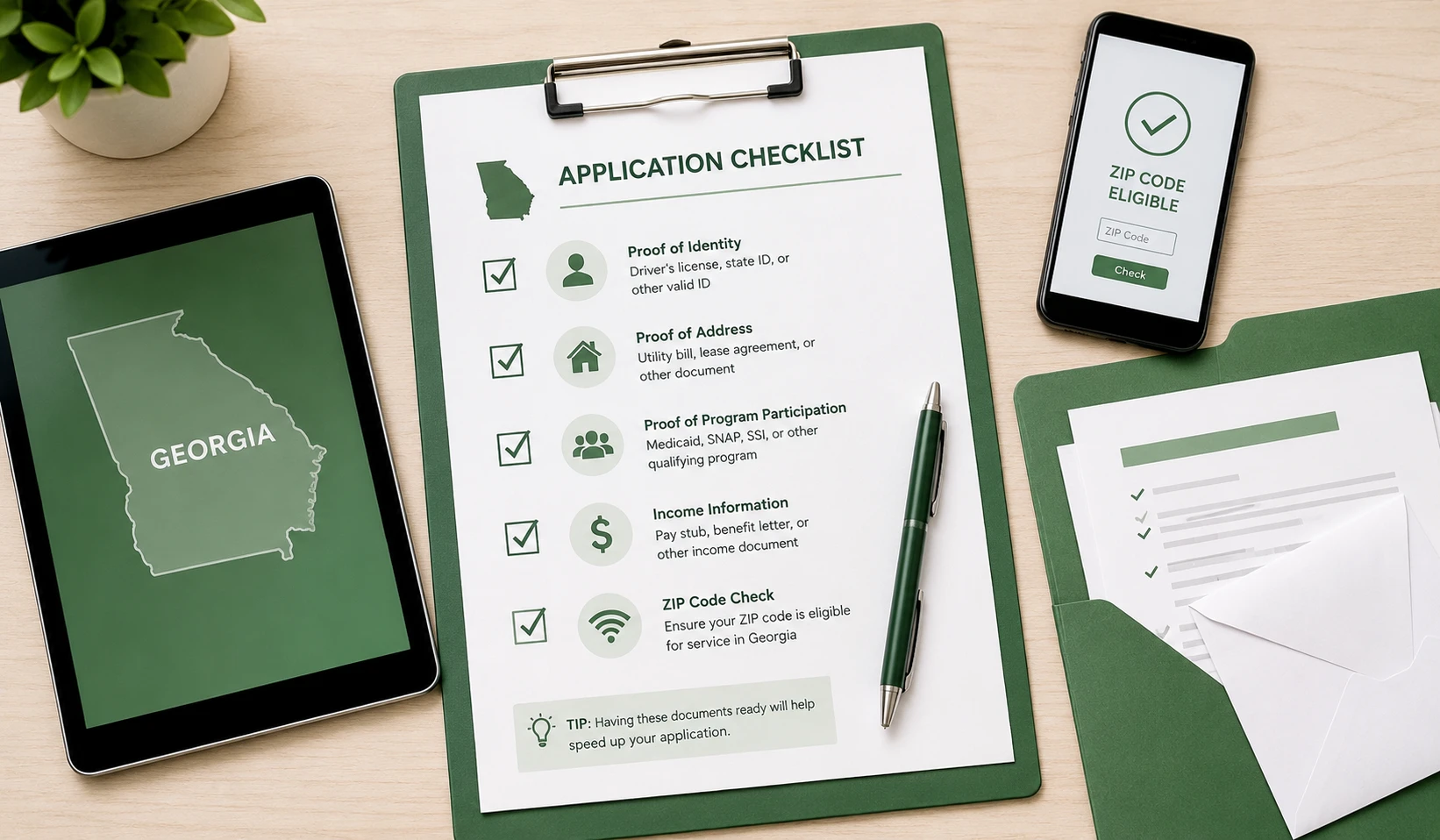
- I know which eligibility route I will use: SNAP, Medicaid, SSI, FPHA, Veterans Pension, Survivors Benefit, or income.
- My name, date of birth, and address match across Georgia Gateway, Medicaid records, ID, and provider application.
- I understand ACP ended and is not paying current tablet discounts.
- I understand Lifeline mainly discounts phone or internet service.
- I checked whether the provider serves my exact Georgia ZIP code.
- I checked whether the tablet is free, discounted, refurbished, or tied to a copay.
- I checked activation, shipping, return, and service-plan terms.
- I did not give my EBT PIN, Georgia Gateway password, bank login, or full SSN to an unsafe page.
- I saved confirmation numbers, screenshots, or email receipts from official pages.
FAQs About Free Tablets in Georgia
Can I get a free government tablet in Georgia in 2026?
You may be able to find a free or discounted tablet offer through a provider, but Georgia does not have a verified statewide program that guarantees a tablet for every eligible resident. Check Lifeline eligibility first, then check provider availability by ZIP code.
Does Georgia EBT automatically qualify me for a tablet?
No. Georgia EBT or SNAP can help prove Lifeline eligibility, but it does not automatically get you a tablet. The provider still needs to serve your area and have a tablet offer available.
Can Georgia Medicaid help me qualify?
Yes, Georgia Medicaid can help you qualify for Lifeline. You may need a current Medicaid notice, card, or Georgia Gateway record. The device offer is still controlled by the provider.
Is ACP still available for Georgia households?
No. ACP ended, and households stopped receiving ACP discounts after June 1, 2024. Be careful with websites that still promise ACP tablet approvals in 2026.
What is the difference between Lifeline and a tablet offer?
Lifeline is a federal service discount for eligible phone, internet, or bundled service. A tablet offer is a provider promotion or device option. Lifeline eligibility can help, but it does not guarantee the device.
Why does my Georgia ZIP code matter?
Provider coverage, Lifeline participation, stock, shipping, and service plans vary by ZIP code. Atlanta, rural South Georgia, North Georgia, and coastal areas may show different options.
Can two people at the same Georgia address get Lifeline?
Only if they are separate households under Lifeline rules. If people live at the same address and share income and expenses, only one Lifeline benefit is allowed for that household.
What if my rural Georgia address cannot be verified?
Use your official 911 address if available. You may also need a utility bill, lease, official mail, or another document that clearly shows your physical address.
Are Georgia library tablets the same as free government tablets?
No. Some Georgia libraries may lend Chromebooks, hotspots, or learning tablets, but that is local library access, not a statewide device ownership program. Contact your local library for availability.
Do I need to pay a copay for a tablet?
Some providers may charge a copay, activation fee, shipping fee, or service-related charge. Read the provider's terms before submitting any payment.
Can seniors in Georgia apply for tablet options?
Yes. Georgia seniors may qualify through SNAP, Medicaid, SSI, income, or another eligible benefit. They should use current documents and avoid websites asking for private account passwords.
Is Free Tablet Apply a Georgia government agency?
No. Free Tablet Apply is an independent informational website. It does not approve applications, issue benefits, ship tablets, or represent any government agency.
Final Helpful Summary
Georgia residents should treat "free government tablet" claims carefully. The safe path is to confirm Lifeline eligibility, prepare current documents, check provider availability by ZIP code, and read the device terms before applying.
SNAP, EBT, Medicaid, SSI, housing assistance, veterans benefits, or income may help you qualify. None of them guarantee a tablet. If no provider offer is available, Georgia libraries, Tools for Life, community action agencies, and low-cost refurbished devices are far better options than risky websites.
External Resources
Use official or trusted resources when checking eligibility, state benefits, provider availability, and digital access options.
- FCC Affordable Connectivity Program page
- FCC Lifeline consumer page
- Lifeline Support: How to qualify
- USAC National Verifier information
- USAC Companies Near Me
- Georgia Gateway information
- Georgia DFCS SNAP information
- Georgia Medicaid
- Georgia Pathways to Coverage eligibility
- Georgia Broadband Program
- Georgia Public Library Service technology resources
- Tools for Life assistive technology program
- Georgia Community Action Association local agency finder